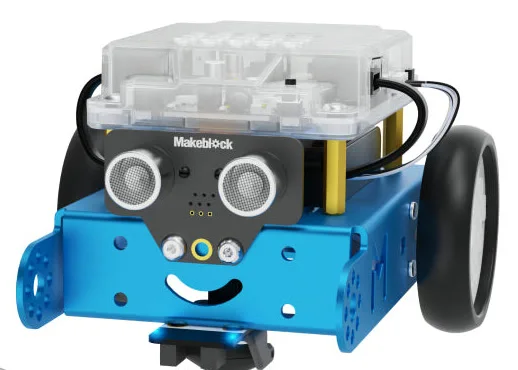
Overview
The mBot is Makeblock's long-running Arduino-based starter car, built in about 15 minutes from an aluminum chassis, two TT motors and plug-in RJ25 sensors. It suits classrooms and first-time builders who want Scratch-style blocks with a path to Arduino C. Its low price, large curriculum library and add-on packs set it apart. The 8-bit mCore board has little memory and no Wi-Fi, and batteries are extra.
- Type
- Wheeled robot · Classroom coding cars
- Maker
- Makeblock (China)
- Released
- 2015
- Price
- $69.99 – $149.99
- Status
- Available
- Best for
- Ages 6+
- Programming
- Full SDK
Price and shipping
$69.99 for the kit in blue or pink, $79.99 with a Coding Box or with a Bluetooth dongle for a PC, $149.99 with three add-on packs; the mBot-S classroom kit is $79.99 per pack (Makeblock US store, September 2026). Batteries are not included (4×AA or an optional $17.99 LiPo pack). Year 2015 (unconfirmed) is taken from the creation date of Makeblock's official mBot GitHub repository.
Shipping: 8–13 business days (Makeblock US store). The Makeblock US store ships from local US warehouses (1–3 day handling, 7–10 business day delivery) to the contiguous US only; product pages also link to Amazon. Makeblock store ↗
Specifications
| Category | Wheeled rovers · Classroom coding cars |
|---|---|
| Released | 2015 |
| Country | China |
| Availability | Available |
| Programmability | Full SDK |
| Built-in autonomy | Reactive · Responds to its surroundings without a map, such as avoiding obstacles or following a person |
| LLM support | Possible via SDK · There are no LLM features, but Arduino C access and a Python serial library let an LLM write or drive its code. |
| MuJoCo simulation | None found · Nothing found. |
| NVIDIA Isaac simulation | None found · Nothing found. |
| Gazebo simulation | None found · Nothing found. |
| Best for | Ages 6+ (maker rating) |
| Vision sensors | Sonar / ultrasonic |
| Actuators | DC / gear motors |
| Audio | Speaker |
| Compute type | Arduino / ESP32 / microcontroller |
| Remote control | Python from a laptop |
| Size | Not published on the store page |
| Drive | 2-wheel differential with caster, TT gear motors (200 RPM) |
| Compute | mCore, 16 MHz (ATmega328P (unconfirmed)) |
| Vision | None |
| Lidar | None |
| Sensors | Ultrasonic, line follower, onboard light sensor, IR emitter/receiver, buzzer |
| Runtime | 4×AA or 3.7 V 1800 mAh LiPo (not included), about 1 hour playtime (maker) |
| Speed | Not published (motors rated 200 RPM) |
| SDK | mBlock 5 (Scratch 3.0 based), Arduino IDE with Makeblock libraries, Makeblock apps; Makeblock's `makeblock` Python package supports mCore over serial |
Common questions
How much does mBot cost?
mBot is listed at $69.99 – $149.99. $69.99 for the kit in blue or pink, $79.99 with a Coding Box or with a Bluetooth dongle for a PC, $149.99 with three add-on packs; the mBot-S classroom kit is $79.99 per pack (Makeblock US store, September 2026). Batteries are not included (4×AA or an optional $17.99 LiPo pack). Year 2015 (unconfirmed) is taken from the creation date of Makeblock's official mBot GitHub repository.
Can mBot be bought today?
Yes, it is on sale. Typical shipping time is 8–13 business days (Makeblock US store). The Makeblock US store ships from local US warehouses (1–3 day handling, 7–10 business day delivery) to the contiguous US only; product pages also link to Amazon.
Who makes mBot?
mBot is made by Makeblock (China). It came out in 2015.
Can mBot be programmed?
Full SDK. mBlock 5 (Scratch 3.0 based), Arduino IDE with Makeblock libraries, Makeblock apps; Makeblock's `makeblock` Python package supports mCore over serial.
Does mBot have AI chat or LLM support?
Possible via SDK. There are no LLM features, but Arduino C access and a Python serial library let an LLM write or drive its code.
What age is mBot for?
Ages 6+, per the maker.
Ratings & reviews
Ratings and reviews load on the live site.
Compared side by side
Related guides
- ROS 2 Guide · the software framework many robots use
- Robot Vision and Depth Sensors · cameras, lidar and other distance sensors
- Raspberry Pi Guide · every Pi compared for robot use
Similar robots
 WeeeBot miniWeeemake (China)Quote only
 mBot2 / mBot NeoMakeblock (China)$149.99 – $279.99
 Codey RockyMakeblock (China)$139.99 – $157.99
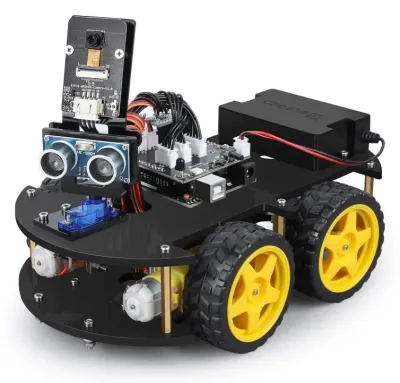 ELEGOO Smart Robot Car Kit V4.0 (with Camera)ELEGOO (China)$79.99
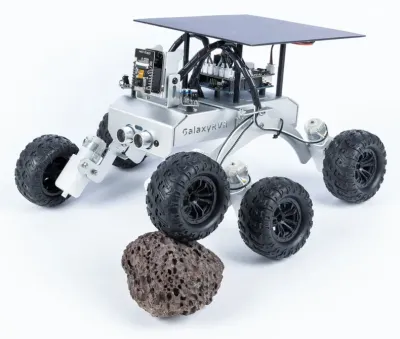 SunFounder GalaxyRVR Mars Rover KitSunFounder (China)$129.99
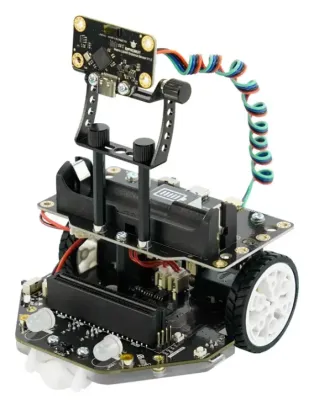 DFRobot Maqueen Plus V3DFRobot (China)$69.90
Sources
Image credits
- Image 1: source (official product image)