This log covers November 22. The RobStride Power Board went into the robot and now feeds all eight motors, the Teensy and the Pi. He can also be driven with a game controller, he got a quieter walker, and the control panel got a simulator.
A Pi that stays up
The Pi restarts from Log 26 came from plugging USB cables in and out while it was running. The Pi Zero has no protection on its USB port, so a plug going in can dip its 5 V and reset it. With everything plugged in before power-up, it ran for 23 minutes with the panel streaming and never restarted. The rule now is that the Pi's USB cables only move with the power off.
Then I flashed the Teensy over Wi-Fi for the first time. The Mac sends the new firmware to the Pi, the Pi writes it to the Teensy, and the panel reconnects by itself. No cable goes near the robot. I also cut the Pi's start-up time from about 3 minutes to about a minute and a half.
The lag-trained walker is slower
The walker from Log 26 that trained with random motor lag went on as fox_panel 97, flashed over Wi-Fi. Five garage runs put it 5 to 6% behind s22rl3. Asked for 2.0 m/s it held 1.75 m/s against 1.86, and asked for 2.5 it held 1.88 against 2.01. So training with random lag passed every simulator check and still didn't help top speed.
A game controller
I paired an Amazon Luna controller with the Pi over Bluetooth. One button stands him up, one sits him down and one stops him. Holding the left stick makes him walk, with the stick steering and scaling the speed, and letting go stops him. The D-pad picks the top speed from 0.5 to 2.0 m/s, and another button lifts a front paw.
It took a few fixes. The four face buttons did nothing at first, because the Pi reports several names for each button and my code only read one. After the Pi was power cycled, the controller kept trying to reconnect to an older device and had to be paired again. Turning in place stopped after about 90°, since the panel's auto-stop timer was ending walks the controller had started. That timer now leaves controller walks alone.
A spark
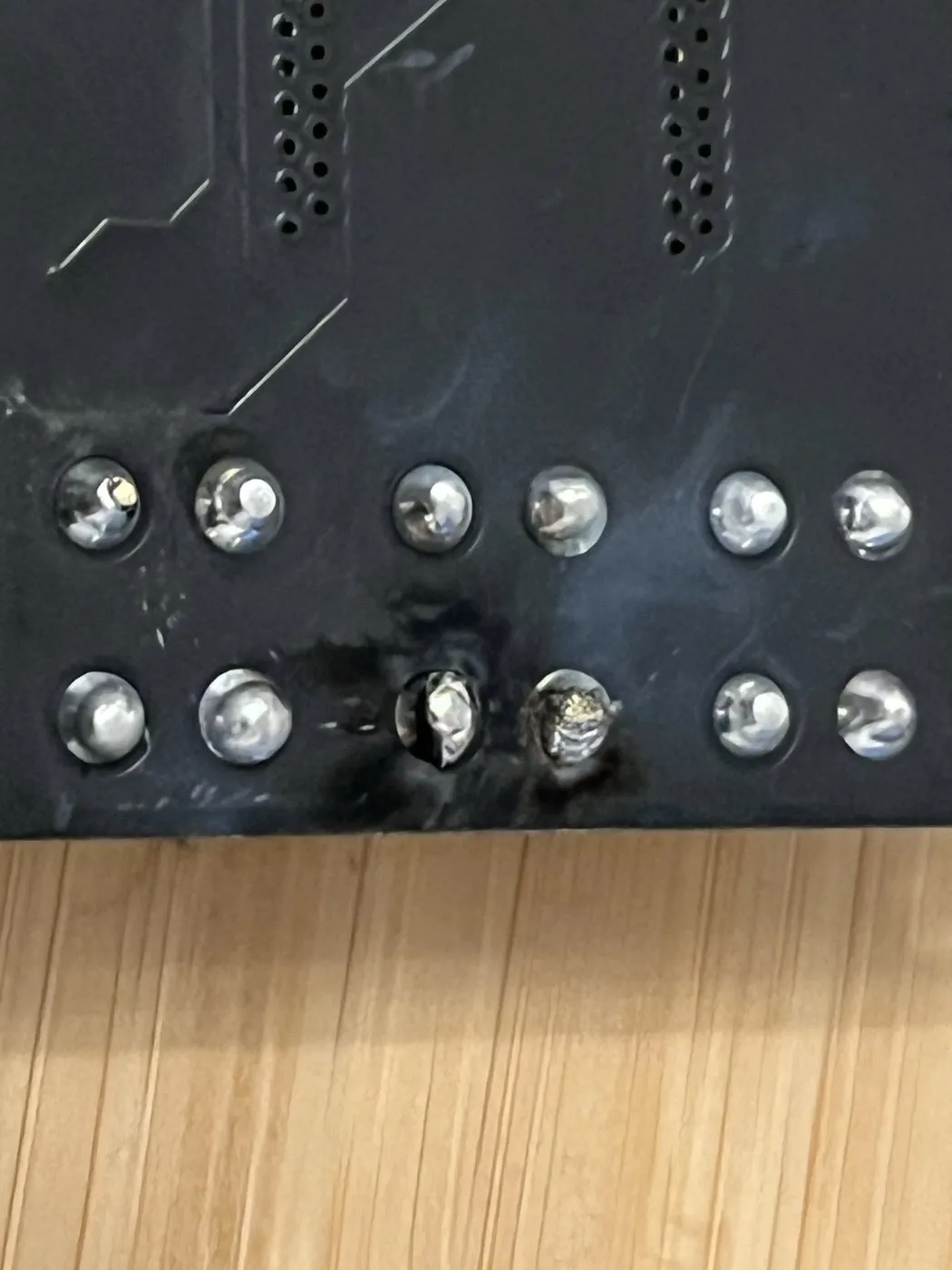
The Pi's Wi-Fi was weak with the body closed up, so I was moving it to a better spot. The loose Pi touched the underside of the power switch board and sparked. The arc jumped across the two solder joints of one output and left soot between them. The board stayed in its fault state until I wiped the soot off, and then it gave a steady 49.96 V again. The Pi survived too. The Pi now has a fixed spot and tape on its underside.
Setting up the Power Board
The RobStride Power Board arrived on November 21, 12 days after I ordered it. It is one board that does several jobs. The battery plugs into it, four switched outputs feed the motors, and it makes 5 V, 12 V and 24 V for the electronics. It also comes with a small remote, a finned resistor and a set of cables.
The resistor is the reason I bought it. When the motors brake, such as on a landing, they push energy back into the wiring and the voltage rises. The RS00 motors are only rated to 60 V. The board watches the voltage, and when it gets too high it switches the resistor in to burn the extra off as heat. This is called a regen clamp.
The clamp setting had to change before any motor went on the board. As shipped, mine would have switched on at 61 V, which is above the motor limit. The board takes one number, the full-charge voltage of the battery, and adds 6 V to get the switch-on point. Two 6S packs in series are 50.4 V when full, so the clamp now switches on at 56.4 V and off at 52.4 V.
Getting that number in took a while. The board has a USB-C port, but with the Mac's built-in driver it never answered. With the driver from the maker of the USB chip it replied right away. Then the new value didn't show up until the board had been fully powered down, USB cable included, since the cable alone keeps the board's chip running.
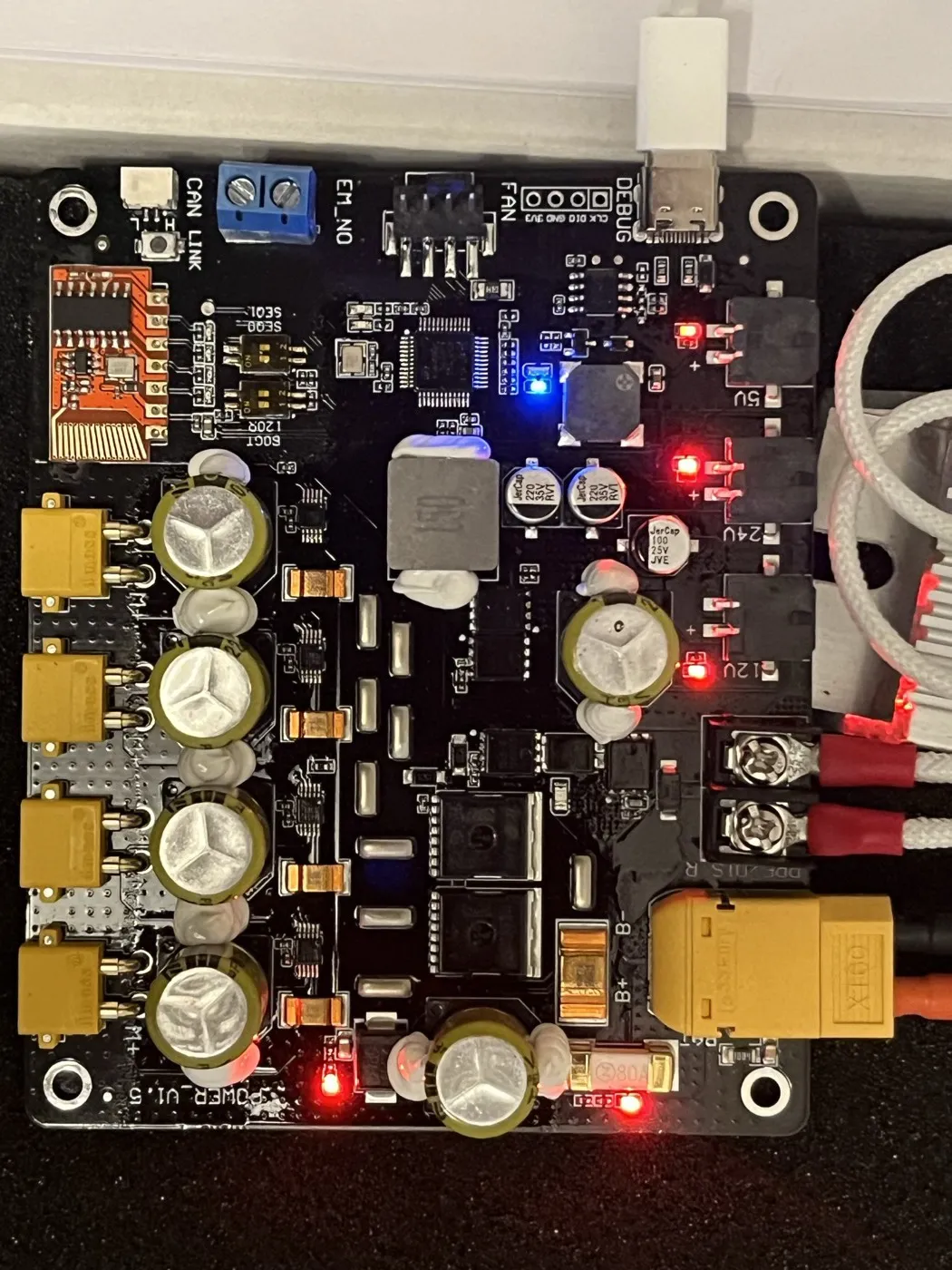
The Power Board in the robot
In the evening the board went into the middle of the body. The battery lead plugs into its XT60 input through a short adapter cable. The four motor outputs feed the eight motors, the 12 V output runs the Teensy and the 5 V output runs the Pi. That takes the place of the power switch board and both of the small converters, including the 5 V one from Log 26.
All eight motors answered, and the first stand and sit on the new board worked. After one more round of rewiring, the two front-right motors went missing and the battery read 47.3 V where it had been 49.0 V. The battery plug wasn't fully seated in the board. Pushing it in brought the voltage back, and reseating the front-right plug brought the motors back.
The remote has four buttons. A switches the motor outputs, B the 24 V output, C the 12 V output, and a double press of D turns everything off. It isn't paired with the board yet, so for now it does nothing. The board has no power switch of its own, so pulling the battery plug is how he turns off.
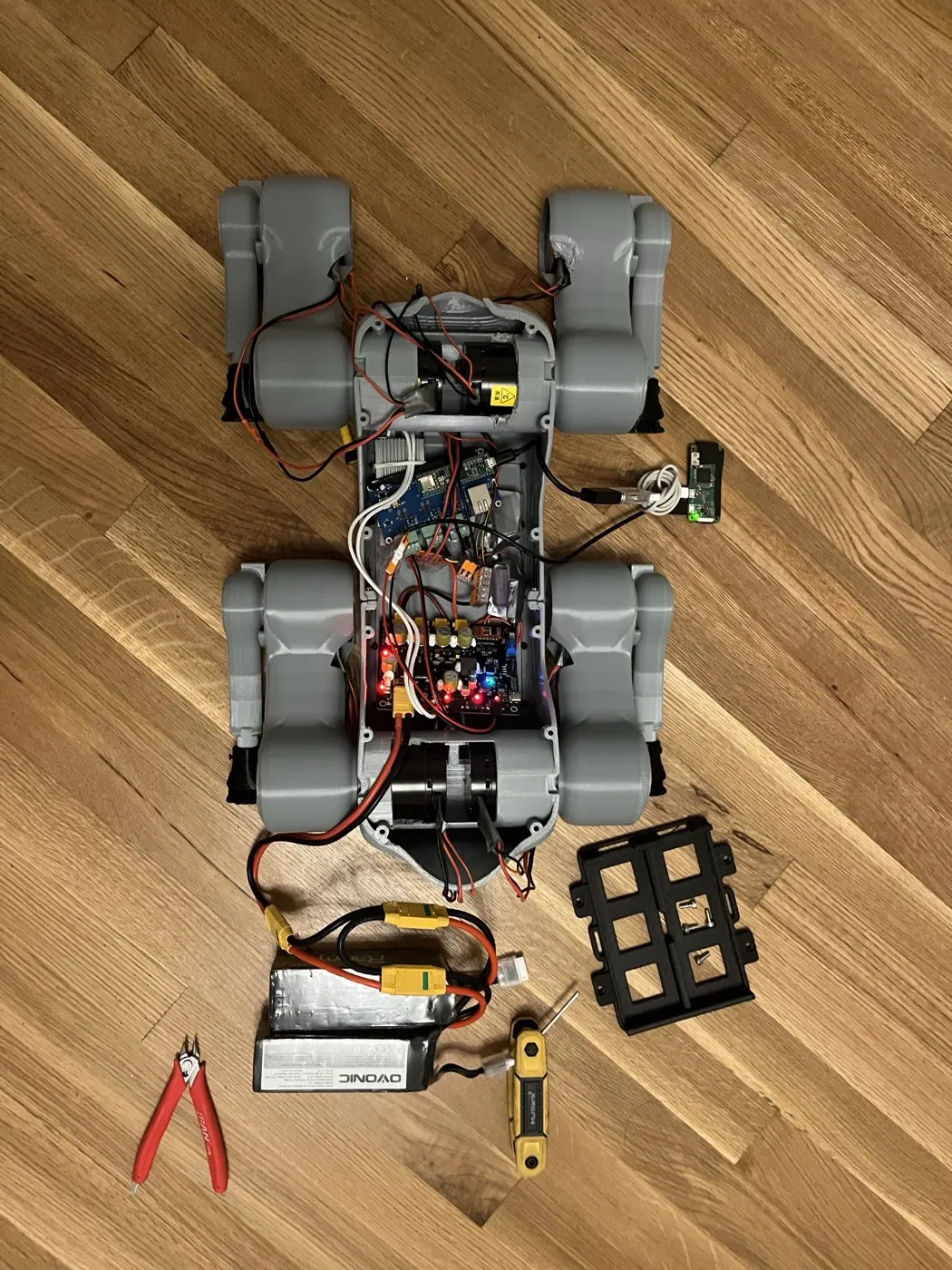
Before the board went in, I weighed him with the new walled battery tray from Log 26. He is 15 lb, or 6.80 kg. The front paws now carry about 40% of that, up from about a third.
A quieter walker
Driving him with the stick showed how busy and loud his slow walk is. He takes fast, short steps and hits the floor hard. So I trained a walker just for 0 to 1 m/s, with slower steps and softer landings. In simulation each foot lands about twice a second, where the old walker landed about three times, and the paws come down more slowly.
It went on the robot that evening as fox_panel 99. The body's accelerometer agrees with the simulator. At a slow walk, hard hits dropped from about 10 a second to about 6, and the strongest ones fell from 3.4 g to 3.0 g.
Backward walking failed. Asked for 0.3 m/s backward he stamped in place, hit the floor hard about once per step cycle, and crept back at 0.04 to 0.05 m/s. The cause was one training setting left on from the fast walkers. It made the reward for matching the asked speed so forgiving that standing still earned about 70% of it. A new run with that setting off is training, and partway through it walks backward at 0.18 m/s in simulation.
A simulator in the control panel
The control panel has a new Simulator button. It runs the same firmware as the Teensy, built for the Mac, driving a simulated robot in real time. The simulated robot is the one fitted to the real robot's motors and weight. The panel shows it in a live 3D view, and the same buttons work on it, so I can practice a move before trying it on the real robot. A blue header across the page says it is the simulator.
Why the hind-leg stand flipped
I went back to the backward flip from Log 26 in the simulator. With his weight set 42 mm further back than the model, the simulated stand flips at nearly the same pace as the real one. It reaches 80° in 0.28 s, and the robot took 0.32 s. That makes weight sitting too far back the best explanation so far, though it isn't proven. A new stand network trained with the weight anywhere from 10 mm forward to 50 mm back never fell backward in 192 simulated tries. It hasn't been on the robot.